
Kia Optima DL3: Instrument cluster / Instrument Cluster Control
Adjusting Instrument Cluster Illumination
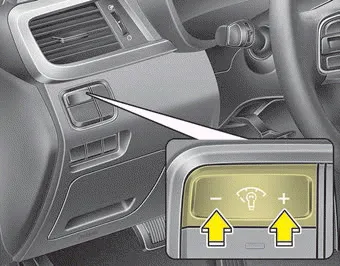
The brightness of the instrument panel illumination is changed by pressing the illumination control button (“+” or “-”) when the ignition switch or Engine Start/Stop button is ON, or the taillights are turned on.
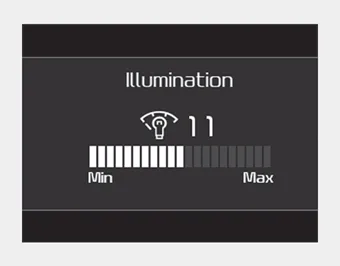
- If you hold the illumination control button (“+” or “-”), the brightness will be changed continuously.
- If the brightness reaches to the maximum or minimum level, an alarm will sound.
1. Tachometer 2. Speedometer 3. Engine coolant temperature gauge 4. Fuel gauge 5.Warning and indicator lights 6. LCD display ❈ The actual cluster in the vehicle may differ from the illustration.
■ Type A ■ Type B The LCD display modes can be changed by using the control buttons on the steering wheel. (1) : MODE button for changing the LCD MODES (2) : MOVE scroll switch for selecting the items (3) OK : SET/RESET button for setting the items or resetting the items ❈ For the LCD modes, refer to “LCD Display” in this chapter.
Other information:
Kia Optima DL3 2019-2026 Service and Repair Manual: Power Door Lock Module
Repair procedures Inspection When prying with a flat-tip screwdriver or use a prying trim tool, wrap it with protective tape, and apply protective tape around the related parts, to prevent damage.
Kia Optima DL3 2019-2026 Service and Repair Manual: Smart Key Antenna
Repair procedures Removal Interior Antenna 1 1. Disconnect the negative battery terminal. 2. Remove the surround view monitor (SVM) unit. (Refer to Advanced Driver Assistance System (ADAS) - "Surround View Monitor (SVM) Unit") 3.
Categories
- Manuals Home
- Kia Optima Owners Manual
- Kia Optima Service Manual
- Emergency trunk safety release
- Charging System
- Suspension System
- New on site
- Most important about car
