
Kia Optima DL3: Charging System / USB Charger
Schematic diagrams
| Connector and Terminal function |
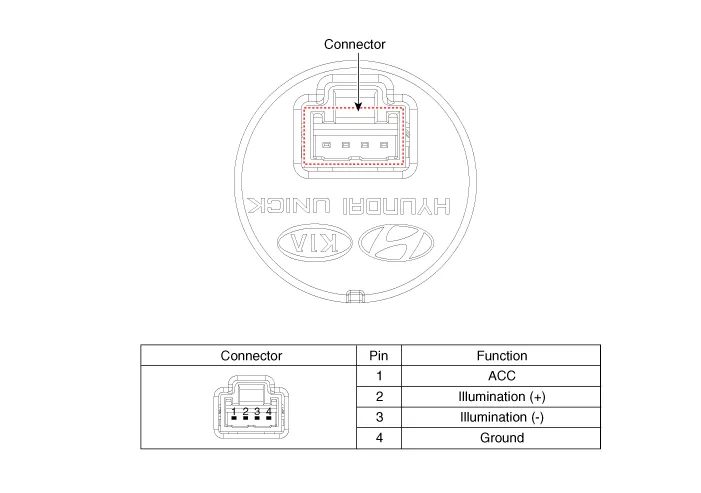
Repair procedures
| Removal |
[Floor Console Tray]
| 1. |
Disconnect the negative battery terminal. |
| 2. |
Remove the console upper cover. (Refer to Body - "Floor Console Assembly") |
| 3. |
Remove the floor console tray (A) by using a screwdriver or remover.
|
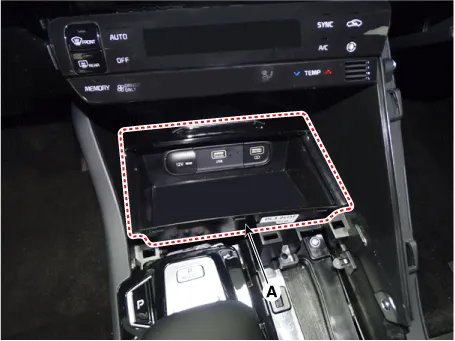
| 4. |
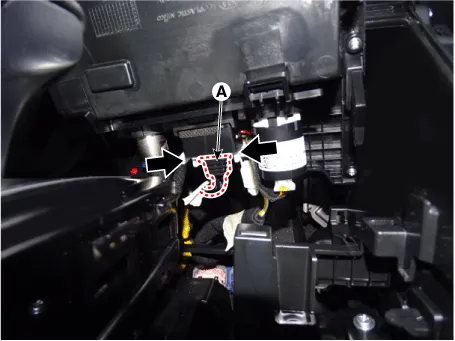
Disconnect the all connector from the floor console tray.
|
| 5. |
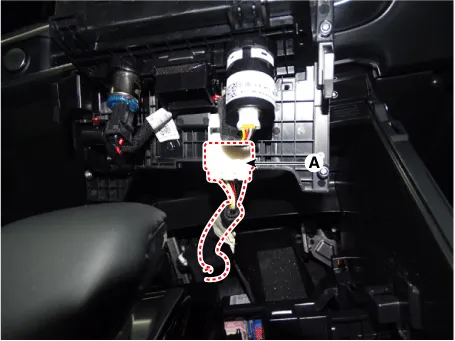
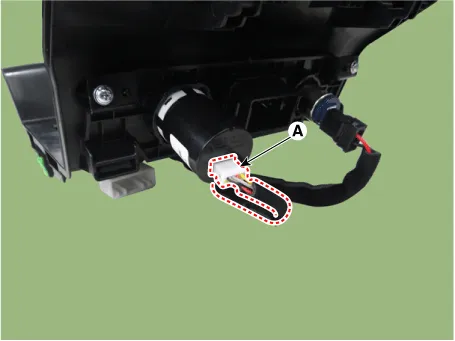
Disconnect the USB charger connector (A).
|
| 6. |
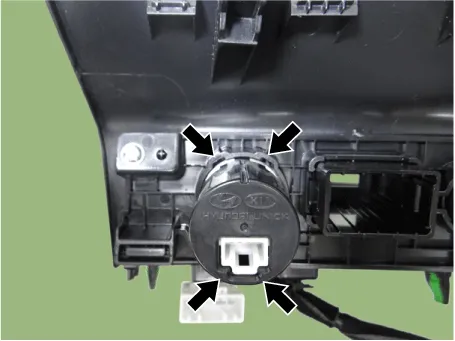
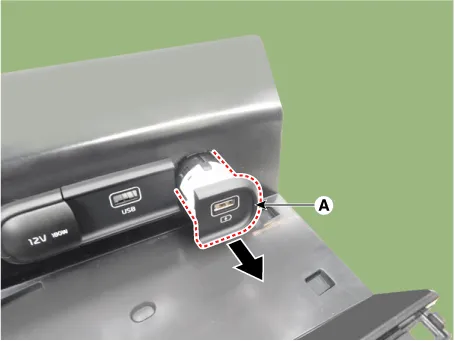
Remove the USB charger (A) by pressing the hooks.
|
[Rear Console Cover]
| 1. |
Disconnect the negative battery terminal. |
| 2. |
Remove the floor console assembly. (Refer to Body - "Floor Console Assembly") |
| 3. |
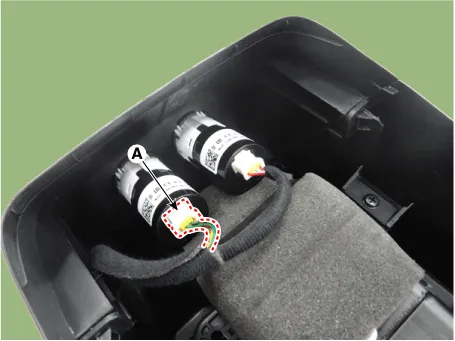
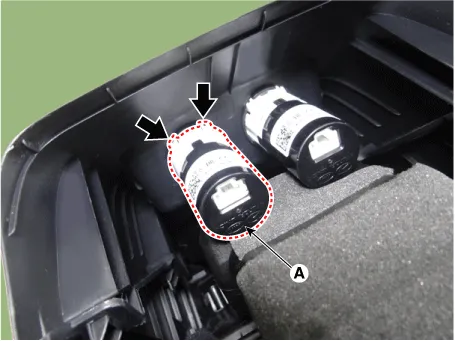
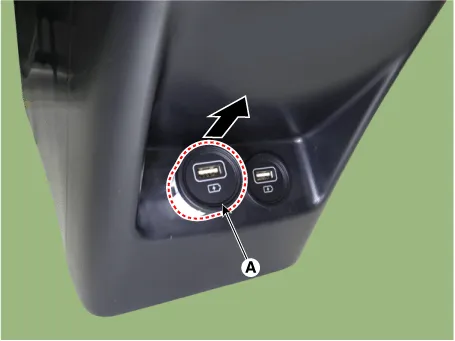
Disconnect the USB charger connector (A).
|
| 4. |
Remove the USB charger (A) by pressing the hooks.
|
[Console Armrest]
| 1. |
Disconnect the negative battery terminal. |
| 2. |
Remove the floor console assembly. (Refer to Body - "Floor Console Assembly") |
| 3. |
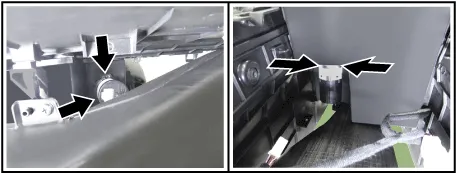
Disconnect the USB charger connector (A).
|

| 4. |
Remove the USB charger (A) by pressing the hooks.
|

| Installation |
| 1. |
Install in the reverse order of removal. |
Specifications Specifications Items Specification Operating voltage DC 9 - 16 V Operating temperature -22 to 167 °F (-30 to +75 °C) Dark current MAX.
Other information:
Kia Optima DL3 2019-2026 Service and Repair Manual: Panorama Sunroof Switch
Schematic diagrams Connector and Terminal Function Repair procedures Inspection 1. Remove the overhead console lamp. (Refer to Lighting System - "Overhead Console Lamp") 2. Check for continuity between the terminals in each switch position according to the table
Kia Optima DL3 2019-2026 Service and Repair Manual: Rear Glass Defogger Switch
Repair procedures Inspection 1. In the body electrical system, failure can be quickly diagnosed by using the vehicle diagnostic system (KDS). The diagnostic system (KDS) provides the following information. (1) Self diagnosis : Checking failure and code number (DTC).
Categories
- Manuals Home
- Kia Optima Owners Manual
- Kia Optima Service Manual
- Emergency trunk safety release
- CVVT Oil Control Valve (OCV)
- Headlamps
- New on site
- Most important about car
