
Kia Optima DL3: Front Door / Front Door Window Glass
Components and components location
| Component Location |
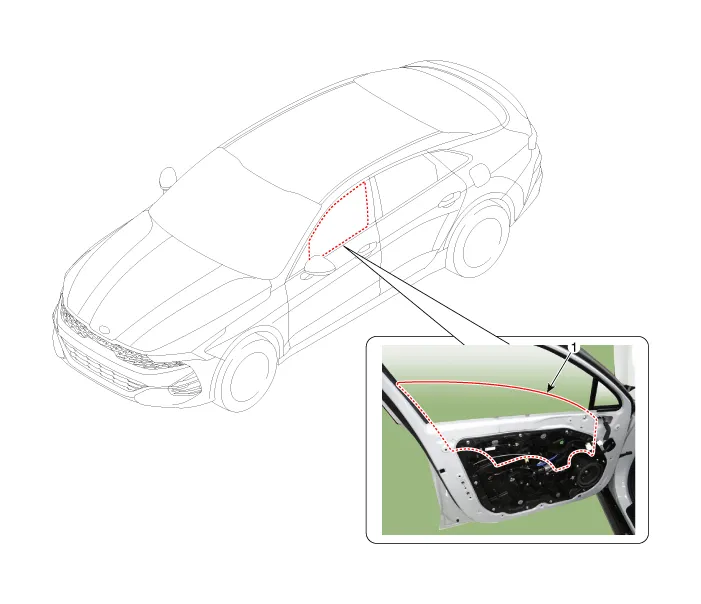
| 1. Front door window glass
|
Repair procedures
| Replacement |
|

| 1. |
Remove the front door trim. (Refer to Front Door - "Front Door Trim") |
| 2. |
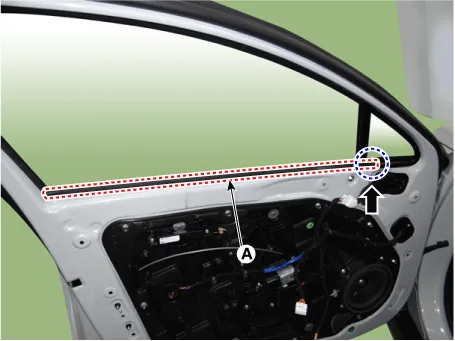
Remove the front door belt inside weatherstrip (A).
|
| 3. |
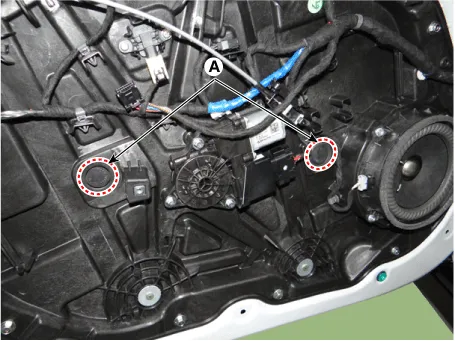
Separate the mounting plug hole (A) from the front door module.
|
| 4. |
Lower the glass by operating the power window switch until the glass mounting bolt is exposed in the plug hole.
|
| 5. |
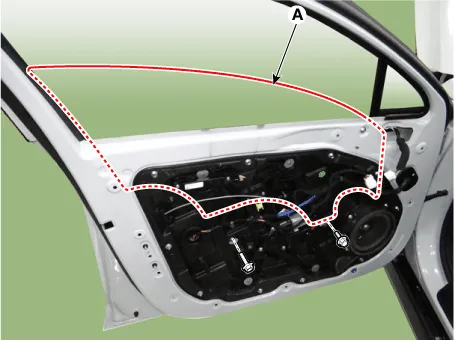
Loosen the glass mounting bolts, adjust the spacing of the glass (A) by moving the glass from side to side and then tighten the bolts.
|
| 6. |
To install, reverse the removal procedure.
|

Components and components location Component Location 1. Front door trim Repair procedures Replacement • When removing with a flat-tip screwdriver or remover, wrap protective tape around the tools to prevent damage to components.
Components and components location Component Location 1. Front door module Repair procedures Replacement • When removing with a flat-tip screwdriver or remover, wrap protective tape around the tools to prevent damage to components.
Other information:
Kia Optima DL3 2019-2026 Service and Repair Manual: Smart Key System
Specifications Specifications Smart Key Unit Items Specification Rated voltage DC 12 V Operation voltage DC 9 - 16 V Operation temperature -40 to 185°F (-40 to 85°C) RF Receiver Items
Kia Optima DL3 2019-2026 Service and Repair Manual: Smart Key
Repair procedures Adjustment Smart Key Code Saving 1. Connect the VCI II in driver side crash pad lower panel, turn the power on KDS. 2. Select the vehicle model and then do "Smart key code saving".
Categories
- Manuals Home
- Kia Optima Owners Manual
- Kia Optima Service Manual
- Timing Chain
- Instrument panel overview
- Cooling System
- New on site
- Most important about car
