
Kia Optima DL3: Lighting System / Mood Lamp Unit
Schematic diagrams
| Connector and Terminal function |
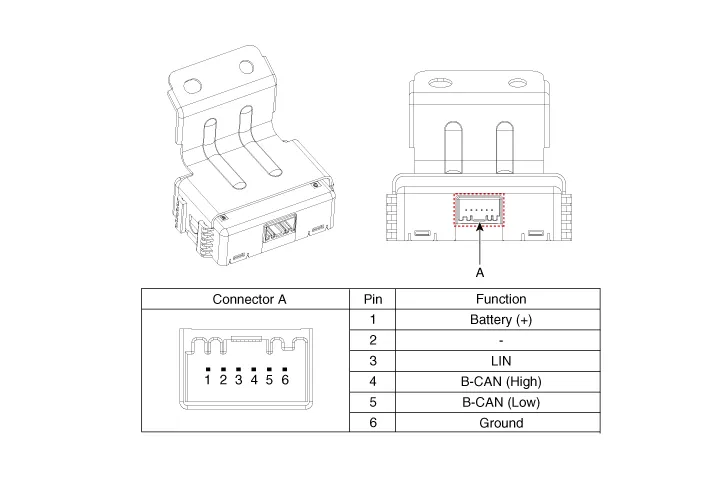
Repair procedures
| Removal |
When removing with a flat-tip screwdriver or remover, wrap protective tape around the tools to prevent damage to components. |

| 1. |
Disconnect the negative battery terminal. |
| 2. |
Remove the crash pad lower panel. (Refer to Body - "Crash Pad Lower Panel") |
| 3. |
Remove the crash pad garnish [LH]. (Refer to Body - "Crash Pad Garnish") |
| 4. |
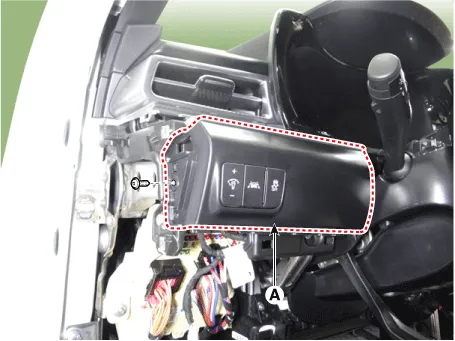
Remove the crash pad lower garnish [LH] (A) by loosening the mounting screw.
|
| 5. |
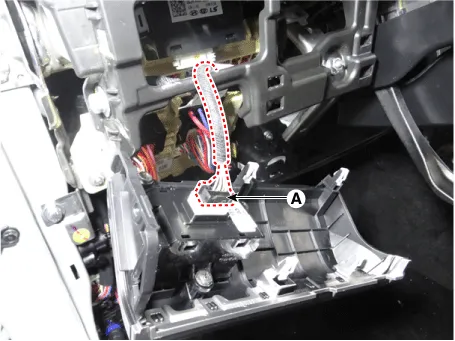
Disconnect the connector (A) from the crash pad lower garnish [LH].
|
| 6. |
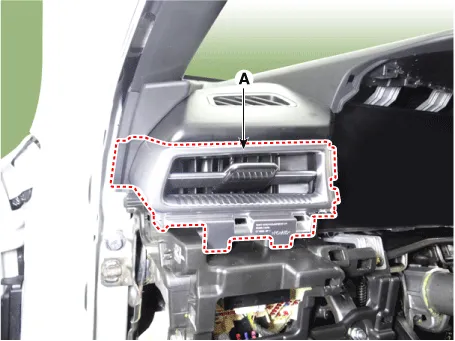
Remove the side air vent (A) by using a flat-tip screwdriver or remover.
|
| 7. |
Disconnect the mood lamp unit connector (A).
|
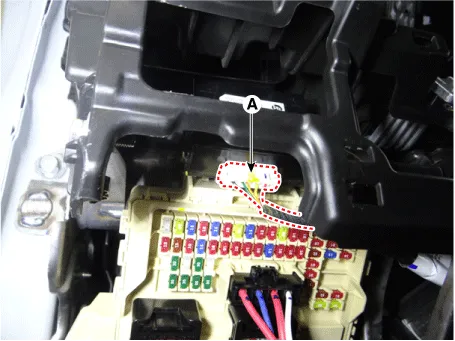
| 8. |
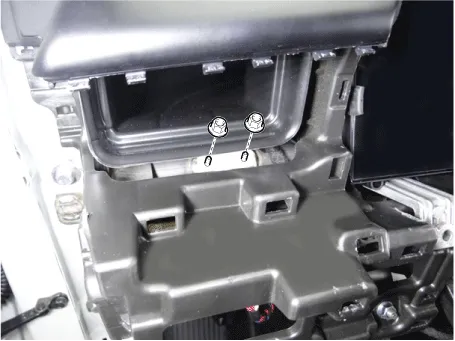
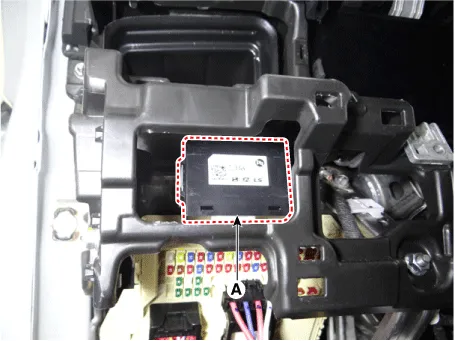
Remove the mood lamp unit (A) by loosening the mounting nuts.
|
| Installation |
| 1. |
Install in the reverse order of removal. |
Repair procedures Removal When removing with a flat-tip screwdriver or remover, wrap protective tape around the tools to prevent damage to components.
Specifications Specifications Items Specifications Rated voltage Front fog lamp switch 5 V Lighting Auto lighting Dimmer & Passing Turn signal lamp Wiper Washer 14.
Other information:
Kia Optima DL3 2019-2026 Service and Repair Manual: Panorama Sunroof Motor
Schematic diagrams Connector and Terminal Function Repair procedures Inspection 1. Disconnect the negative battery terminal. 2. Remove the rear pillar trim [LH]. (Refer to Body - "Rear Pillar Trim") 3.
Kia Optima DL3 2019-2026 Service and Repair Manual: Heater Control Unit
Components and components location Components Connector Pin Function [Connector A] Pin NO Funtion Pin NO Funtion 1 Ground 11 Ground 2 Clean signal 12 -
Categories
- Manuals Home
- Kia Optima Owners Manual
- Kia Optima Service Manual
- Lift And Support Points
- Automatic Transaxle System
- Battery
- New on site
- Most important about car
