
Kia Optima DL3: Lighting System / Rheostat
Schematic diagrams
| Connector and Terminal Function |

Repair procedures
| Removal |
| 1. |
Disconnect the negative battery terminal. |
| 2. |
Remove the crash pad lower panel. (Refer to Body - "Crash Pad Lower Panel") |
| 3. |
Remove the crash pad garnish [LH]. (Refer to Body - "Crash Pad Garnish") |
| 4. |
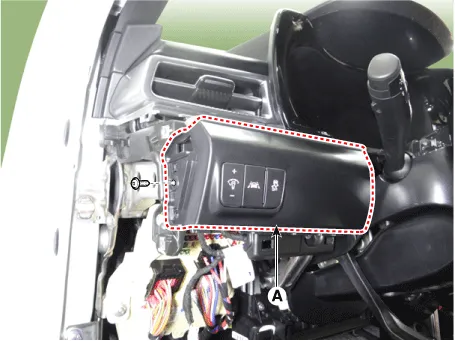
Remove the crash pad lower garnish [LH] (A) by loosening the mounting screw.
|
| 5. |
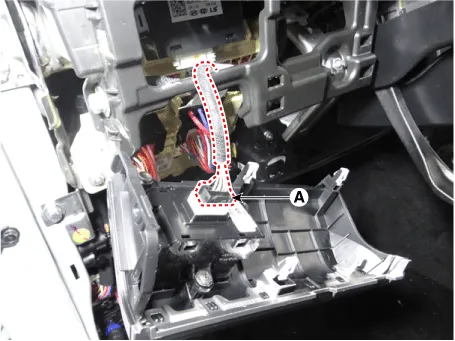
Disconnect the connector (A) from the crash pad lower garnish [LH].
|
| 6. |
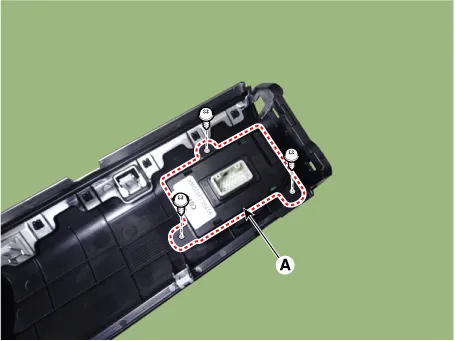
Remove the side crash pad switch (A) by loosening the mounting screws.
|
| Installation |
| 1. |
Install in the reverse order of removal. |
| Inspection |
| 1. |
Disconnect the negative battery terminal. |
| 2. |
Remove the crash pad lower panel. (Refer to Body - "Crash Pad Lower Panel") |
| 3. |
Remove the crash pad garnish [LH]. (Refer to Body - "Crash Pad Garnish") |
| 4. |
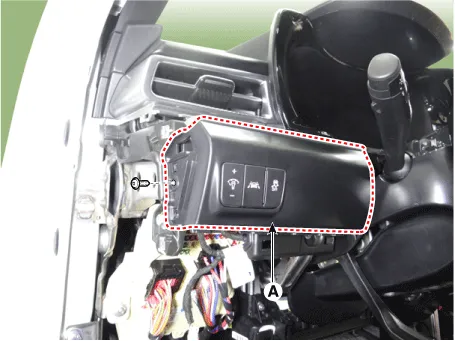
Remove the crash pad lower garnish [LH] (A) by loosening the mounting screw.
|
| 5. |
Disconnect the connector (A) from the crash pad lower garnish [LH].
|
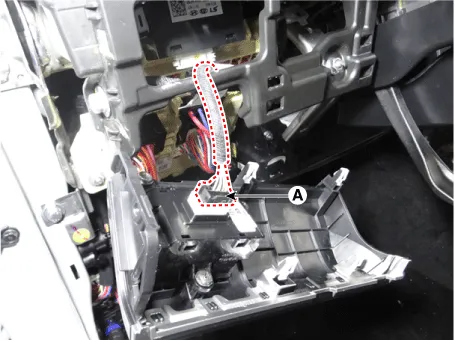
| 6. |
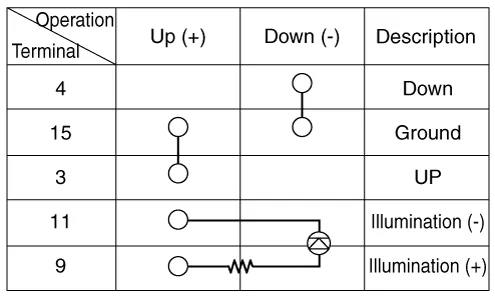
Check rheostat switch for continuity.
|
Components and components location Component Location 1. Tail lamp 2. Stop lamp 3. Tail/Stop lamp 4. Back up lamp 5.
Repair procedures Removal When removing with a flat-tip screwdriver or remover, wrap protective tape around the tools to prevent damage to components.
Other information:
Kia Optima DL3 2019-2026 Service and Repair Manual: Panorama Sunroof
C
Kia Optima DL3 2019-2026 Service and Repair Manual: Rear Glass Defogger Switch
Repair procedures Inspection 1. In the body electrical system, failure can be quickly diagnosed by using the vehicle diagnostic system (KDS). The diagnostic system (KDS) provides the following information. (1) Self diagnosis : Checking failure and code number (DTC).
Categories
- Manuals Home
- Kia Optima Owners Manual
- Kia Optima Service Manual
- Engine Control / Fuel System
- Charging System
- Engine Mechanical System
- New on site
- Most important about car
