
Kia Optima DL3: Audio/AVN System / Steering Wheel Remote Controller (SWRC)
Components and components location
| Components |
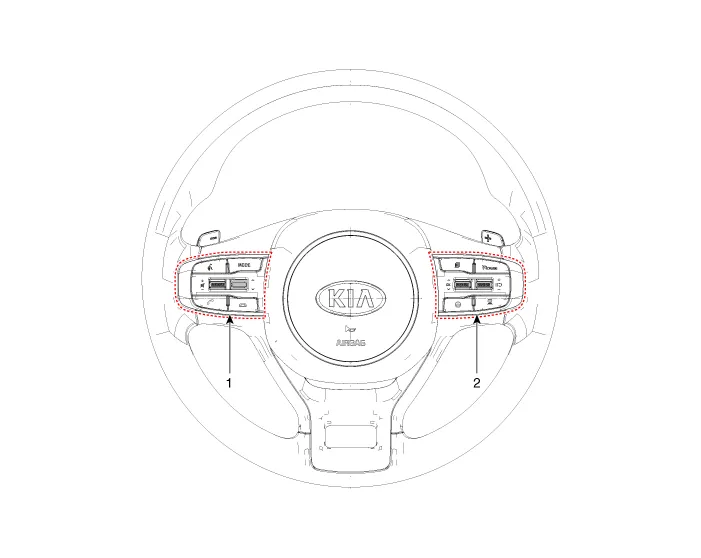
| 1. Left remote control switch
(Audio + Bluetooth + Voice) |
2. Right remote control switch
(Trip + SCC + LFA) |
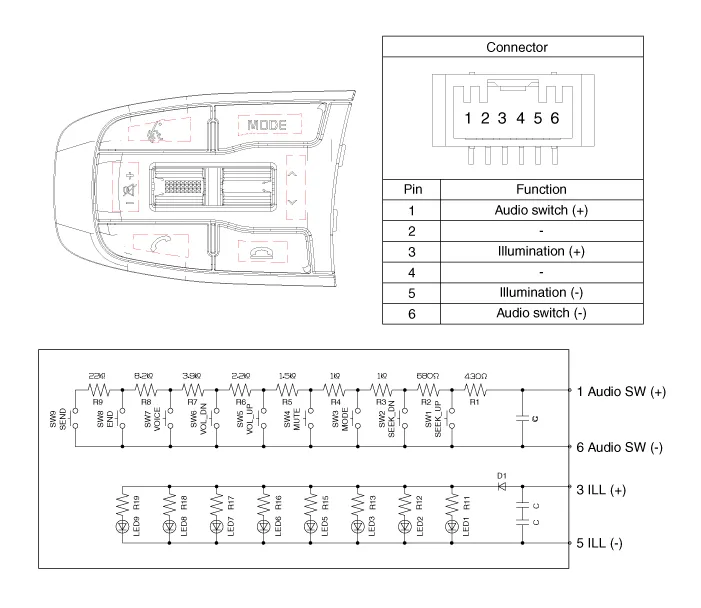
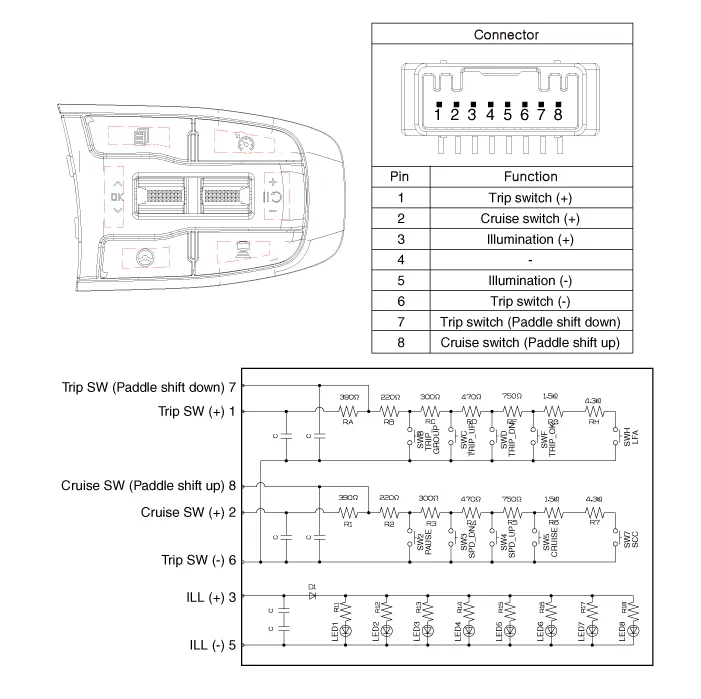
Schematic diagrams
| Circuit Diagram |
| [Audio + Bluetooth + Voice] |
| [Trip + SCC + LFA] |
Repair procedures
| Removal |
| 1. |
Disconnect the negative battery terminal. |
| 2. |
Remove the steering wheel assembly. (Refer to Steering System - "Steering Wheel") |
| 3. |
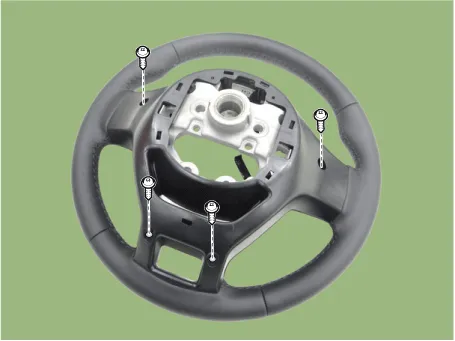
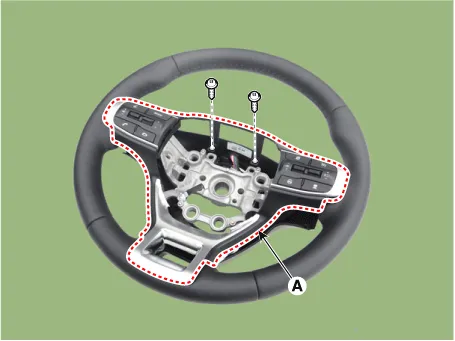
Loosen the mounting screws (A).
|
| 4. |
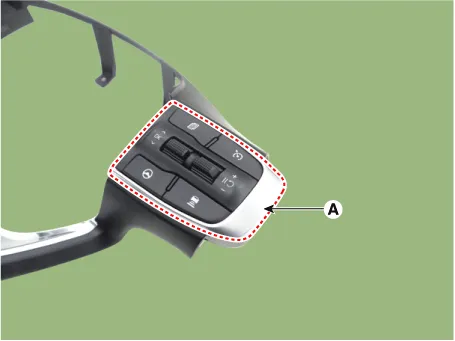
Remove the steering wheel remote controller assembly (A) by loosening the mounting screws.
|
| 5. |
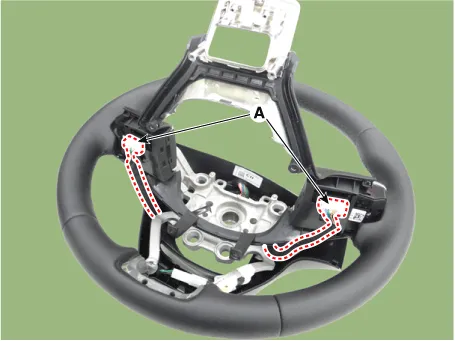
Disconnect the steering wheel remote controllers connectors (A).
|
| 6. |
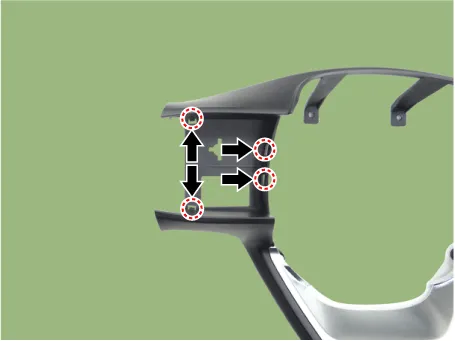
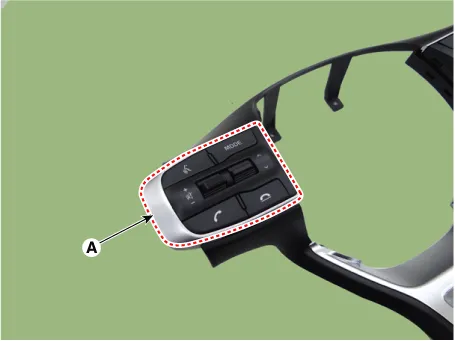
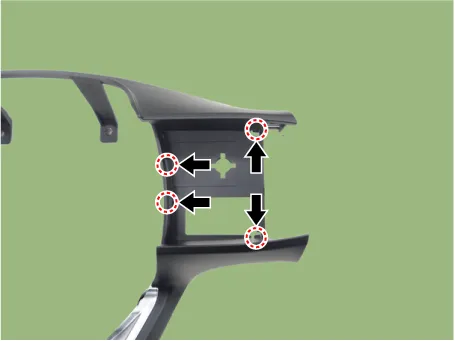
Remove the steering wheel remote controllers (A) by pushing the hooks in the direction of arrow. [LH]
[RH]
|
| Installation |
| 1. |
Install in the reverse order of removal. |
| Inspection |
| 1. |
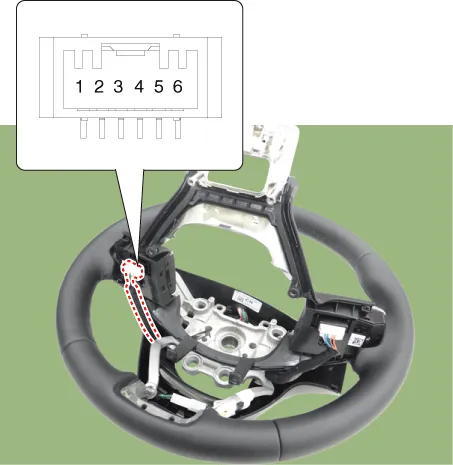
Check for resistance between terminals in each switch position. [Audio + Bluetooth + Voice]
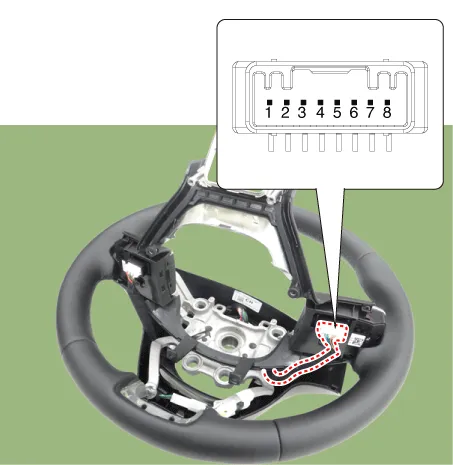
[Trip + SCC + LFA]
|
Components and components location Components Location 1. Audio/AVN head unit 2. Antenna feeder cable 3. Roof antenna Repair procedures Removal 1.
Schematic diagrams Circuit Diagram Audio Display Audio / AVN Repair procedures Removal 1.
Other information:
Kia Optima DL3 2019-2026 Service and Repair Manual: Smart Key Unit
Schematic diagrams Connector and Terminal Function Pin Function Connector A Connector B Connector C Connector D 1 - Front washer switch (Output) - Driver outside handle switch (Input)
Kia Optima DL3 2019-2026 Service and Repair Manual: Compressor oil
Repair procedures Oil Specification 1. The HFC-134a system requires synthetic (PAG) compressor oil whereas the R-12 system requires mineral compressor oil. The two oils must never be mixed. 2. Compressor (PAG) oil varies according to compressor model.
Categories
- Manuals Home
- Kia Optima Owners Manual
- Kia Optima Service Manual
- Cooling System
- Floor Console Assembly
- Engine Control / Fuel System
- New on site
- Most important about car
