Kia Optima DL3: Lighting System / Vanity Lamp
Repair procedures
| Removal |
When removing with a flat-tip screwdriver or remover, wrap protective tape around the tools to prevent damage to components. |

| 1. |
Disconnect the negative battery terminal. |
| 2. |
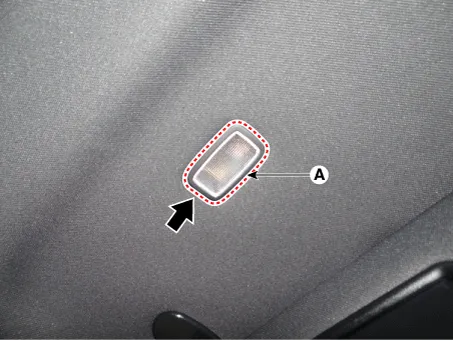
Remove the vanity lamp (A) by using a flat-tip screwdriver or remover.
|
| 3. |
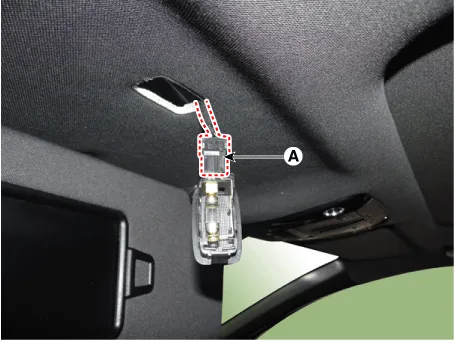
Disconnect the connector (A) from the vanity lamp.
|
| Installation |
| 1. |
Install in the reverse order of removal. |
| Replacement |
When removing with a flat-tip screwdriver or remover, wrap protective tape around the tools to prevent damage to components. |
| 1. |
Disconnect the negative battery terminal. |
| 2. |
Remove the vanity lamp (A) by using a flat-tip screwdriver or remover.
|
| 3. |
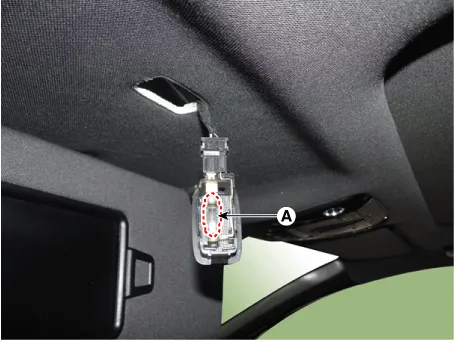
Replace the vanity lamp bulb (A).
|
Repair procedures Removal When removing with a flat-tip screwdriver or remover, wrap protective tape around the tools to prevent damage to components.
Repair procedures Removal When removing with a flat-tip screwdriver or remover, wrap protective tape around the tools to prevent damage to components.
Other information:
Kia Optima DL3 2019-2026 Service and Repair Manual: License Lamps
Repair procedures Removal 1. Disconnect the negative battery terminal. 2. Remove the lcense lamp (A) by pressing the hook. 3. Disconnect the lcense lamp connector (A).
Kia Optima DL3 2019-2026 Service and Repair Manual: Panorama Sunroof
C
Categories
- Manuals Home
- Kia Optima Owners Manual
- Kia Optima Service Manual
- Engine Mechanical System
- Engine Control / Fuel System
- Body Electrical System
- New on site
- Most important about car
