
Kia Optima DL3: Rear Bumper / Rear Bumper Assembly
Components and components location
| Component Location |

| 1. Rear bumper assembly |
Repair procedures
| Replacement |
|

| 1. |
Remove the trunk lid weatherstrip. (Refer to Trunk Lid - "Trunk Lid Weatherstrip") |
| 2. |
Remove the luggage covering boad. |
| 3. |
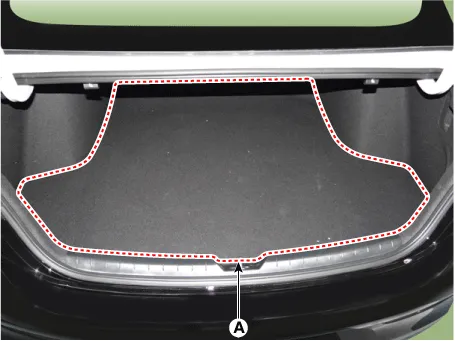
Loosen the mounting clips and remove the rear transverse trim (A).
|
| 4. |
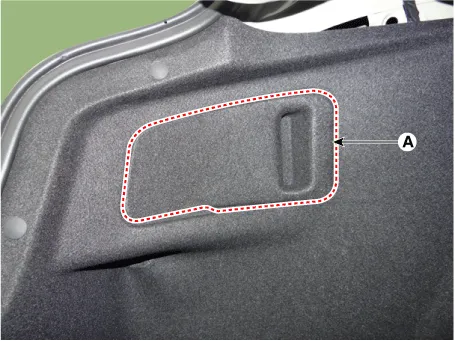
Remove the both sides rear combination lamp cover (A).
|
| 5. |
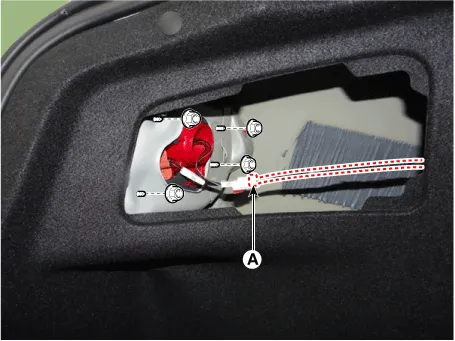
Loosen the rear combination lamp mounting nuts and separate the rear combination lamp connector (A).
|
| 6. |
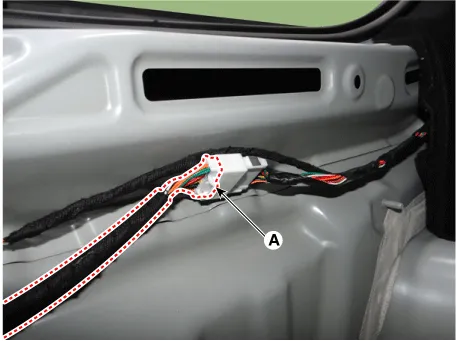
Separate the rear bumper main connector (A).
|
| 7. |
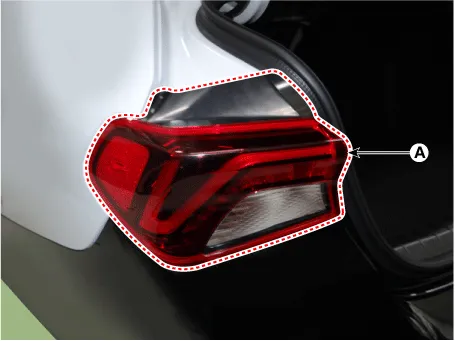
Remove the rear combination lamp (A).
|
| 8. |
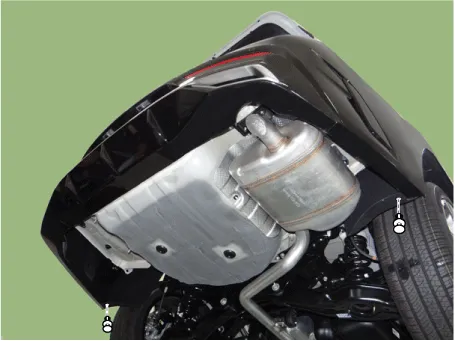
Loosen the rear bumper lower mounting fasteners.
|
| 9. |
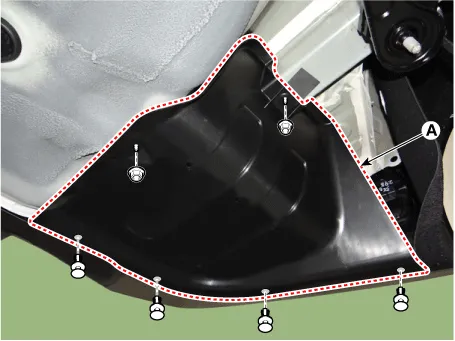
Loosen the mounting clips, nuts and remove the rear bumper side under cover (A).
|
| 10. |
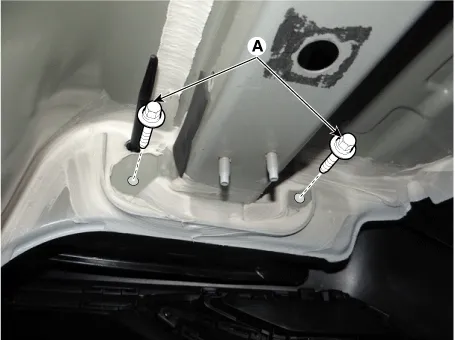
Loosen the rear bumper mounting bolts. [LH]
[RH]
|

| 11. |
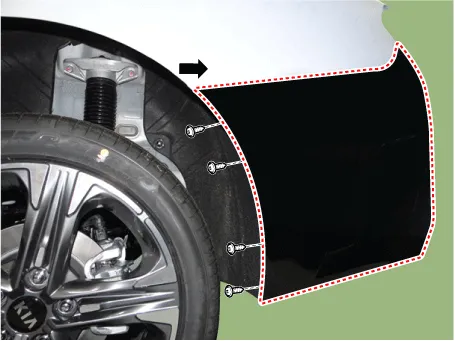
Loosen the pin-type retainers and screws on the side of rear bumper, detach the side part of rear bumper.
|

| 12. |
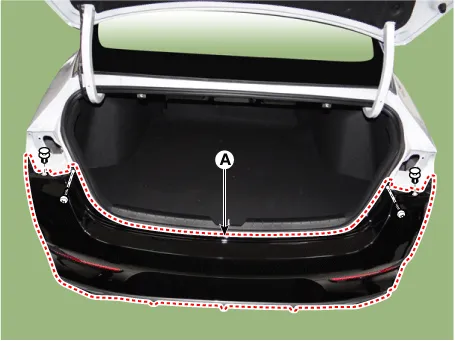
Loosen the mounting clips and screws, remove the rear bumper assembly (A).
|
| 13. |
To install, reverse the removal procedure.
|

Components and components location Components 1. Rear bumper assembly 2. Rear bumper side under cover 3. Rear bumper side bracket [LH] 4.
Components and components location Component Location 1. Rear bumper beam assembly Repair procedures Replacement • When removing with a flat-tip screwdriver or remover, wrap protective tape around the tools to prevent damage to components.
Other information:
Kia Optima DL3 2019-2026 Service and Repair Manual: Photo Sensor
Description and operation Description The photo sensor is located at the center of the defrost nozzles. The photo sensor contains a photovoltaic (sensitive to sunlight) diode. The solar radiation received by its light receiving portion, generates an electromotive force in proportion to the amount of radiation received which is
Kia Optima DL3 2019-2026 Service and Repair Manual: Intake Actuator
Components and components location Components Location 1. Intake actuator Description and operation Description The intake actuator is located at the blower unit. It regulates the intake door by a signal from the control unit.
Categories
- Manuals Home
- Kia Optima Owners Manual
- Kia Optima Service Manual
- Headlamps
- Body Electrical System
- Engine Mechanical System
- New on site
- Most important about car
