Kia Optima DL3: Crash Pad / Steering Column Shroud Panel
Components and components location
| Component Location |
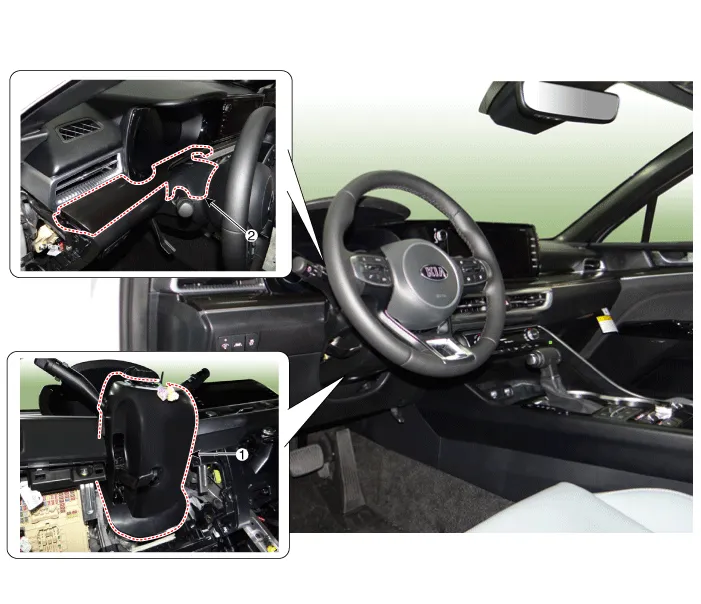
| 1. Steering column shroud lower
panel |
2. Steering column shroud upper
panel |
Repair procedures
| Replacement |
[Steering column shroud upper panel]
|

| 1. |
Lower the steering wheel. |
| 2. |
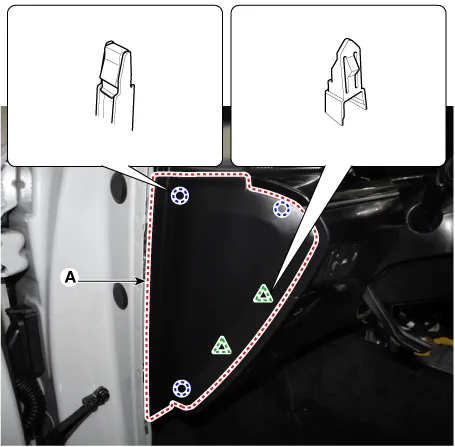
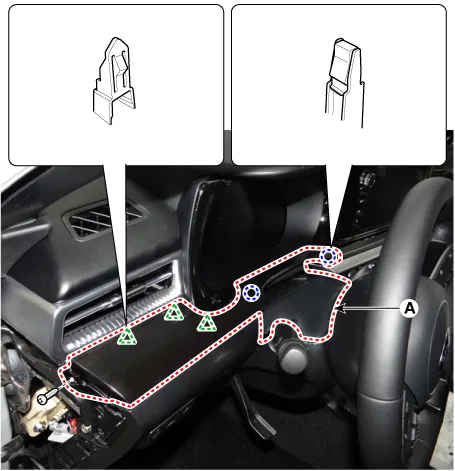
Using a screwdriver or remover, remove the crash pad side cover [LH] (A).
|
| 3. |
Using a screwdriver or remover, remove the steering column shroud upper panel (A).
|
| 4. |
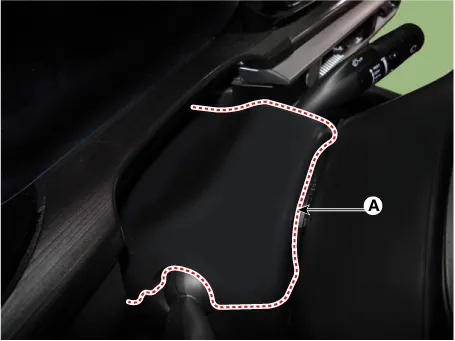
After loosening the mounting screw, remove the crash pad garnish [LH] (A).
|
| 5. |
To install, reverse removal procedure.
|

[Steering column shroud lower panel]
| 1. |
Remove the crash pad lower panel. (Refer to Crash Pad - "Crash Pad Lower Panel") |
| 2. |
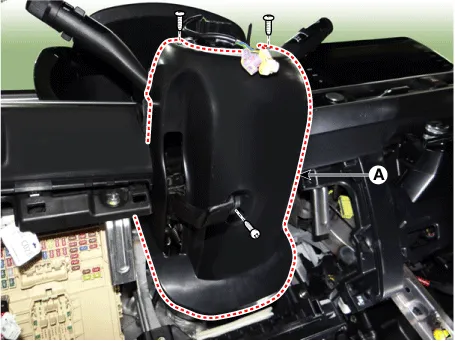
Loosen the mounting screws by turning the steering wheel to the left and right, and remove the steering column shroud lower panel (A).
|
| 3. |
To install, reverse removal procedure.
|
Components and components location Component Location 1. Crash pad lower panel Repair procedures Replacement • When removing with a flat-tip screwdriver or remover, wrap protective tape around the tools to prevent damage to components.
Components and components location Component Location 1. Crash pad garnish [LH] 2. Crash pad garnish [RH] 3. Crash pad center garnish Repair procedures Replacement [Crash pad center garnish] • When removing with a flat-tip screwdriver or remover, wrap protective tape around the tools to prevent damage to components.
Other information:
Kia Optima DL3 2019-2026 Service and Repair Manual: Relaxion Comfort Seat
Components and components location Component Location 1. Relaxion comfort switch 2. Walk-in switch 3. Relaxion comfort seat unit (RCSU) Schematic diagrams Connector and Terminal Function Pin Function Connector A Co
Kia Optima DL3 2019-2026 Service and Repair Manual: Heater & A/C Control Unit (DATC)
Components and components location Components Connector Pin NO Funtion Pin NO Funtion 1 Ground 9 Ground 2 ILL- 10 - 3 - 11
Categories
- Manuals Home
- Kia Optima Owners Manual
- Kia Optima Service Manual
- Cooling System
- Engine Control / Fuel System
- Charging System
- New on site
- Most important about car
