Kia Optima DL3: Surround View Monitor (SVM) / Surround View Monitor (SVM) ECU
Schematic diagrams
| Connector and Terminal function |
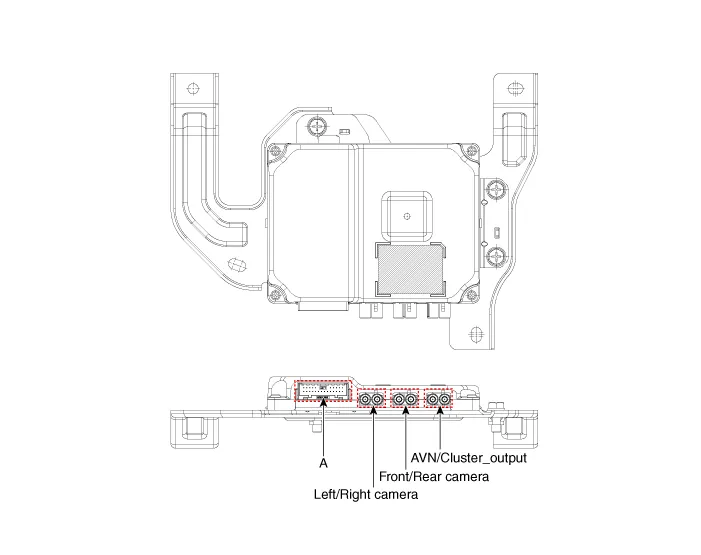
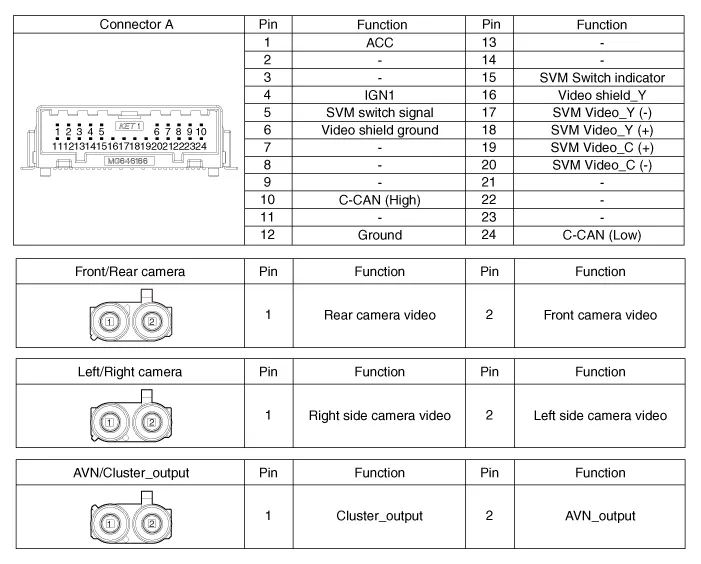
Repair procedures
| Removal |
| 1. |
Disconnect the negative (-) battery terminal. |
| 2. |
Remove the crash pad center panel. (Refer to Body - "Crash Pad Center Panel") |
| 3. |
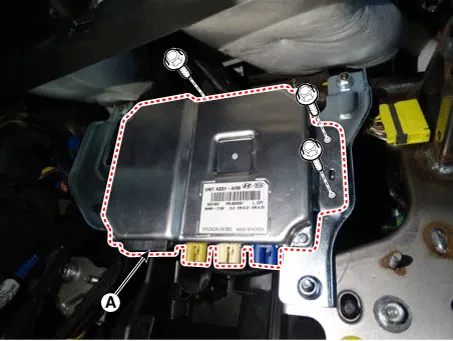
Disconnect the SVM ECU connectors (A).
|
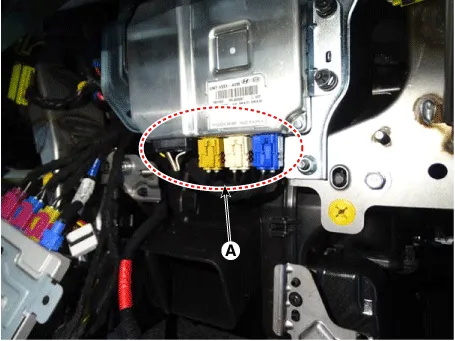
| 4. |
Remove the SVM ECU (A) after loosening the mounting bolts.
|
| Installation |
| 1. |
Install in the reverse order of removal. |
Components and components location Component Location Surround View Monitor (SVM) 1) SVM unit basically transmits data via C-CAN only.
Schematic diagrams Connector and Terminal function Front View Camera Side View Camera Rear View Camera Repair procedures Removal In case of bad quality or poor focus, be sure to check the camera lens surface condition and foreign materials.
Other information:
Kia Optima DL3 2019-2026 Service and Repair Manual: Compressor oil
Repair procedures Oil Specification 1. The HFC-134a system requires synthetic (PAG) compressor oil whereas the R-12 system requires mineral compressor oil. The two oils must never be mixed. 2. Compressor (PAG) oil varies according to compressor model.
Kia Optima DL3 2019-2026 Service and Repair Manual: Temperature Control Actuator
Components and components location Components Location 1. Temperature control actuator [LH] 2. Temperature control actuator [RH] Description and operation Description The temperature control actuator is located at the heater unit.
Categories
- Manuals Home
- Kia Optima Owners Manual
- Kia Optima Service Manual
- Engine Control / Fuel System
- Brake System
- Emergency trunk safety release
- New on site
- Most important about car
