
Kia Optima DL3: Parking Distance Warning (PDW) / Parking Distance Warning (PDW) ON/OFF Switch
Schematic diagrams
| Connector and Terminal Function |
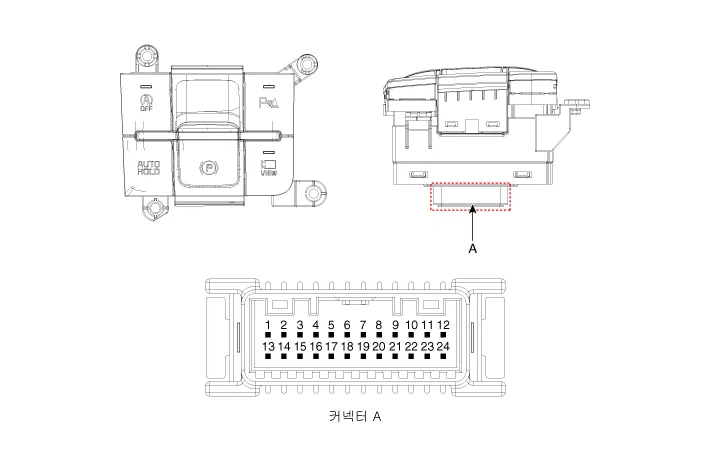
|
Pin |
Function |
Pin |
Function |
|
1 |
PAS mode switch |
13 |
SVM mode indicator |
|
2 |
PAS mode indicator |
14 |
SVM mode switch |
|
3 |
- |
15 |
- |
|
4 |
Detent |
16 |
Ground |
|
5 |
EPB switch1 |
17 |
EPB switch2 |
|
6 |
EPB switch3 |
18 |
EPB switch4 |
|
7 |
- |
19 |
- |
|
8 |
- |
20 |
IGN1 |
|
9 |
Battery (+) |
21 |
illumination (+) |
|
10 |
- |
22 |
- |
|
11 |
ISG mode indicator |
23 |
illumination (-) |
|
12 |
ISG mode switch |
24 |
Auto hold mode |
Repair procedures
| Inspection |
| 1. |
Remove the side crash pad switch. |
| 2. |
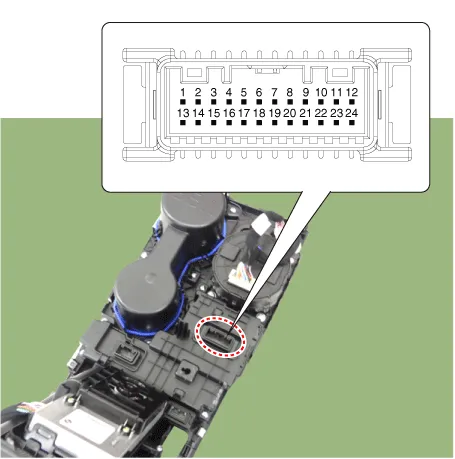
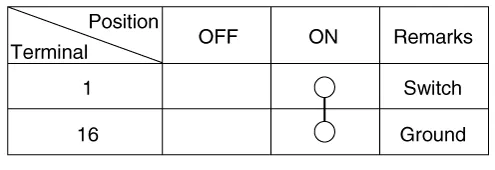
Operate the PDW on/off switch, then check for continuity between terminals.
|
| Removal |
|

| 1. |
Disconnect the negative battery terminal. |
| 2. |
Remove the console upper cover. (Refer to Body - "Floor Console Assembly") |
| 3. |
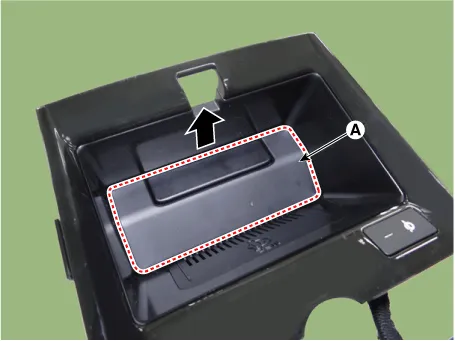
Remove the wireless power charger pad (A).
|
| 4. |
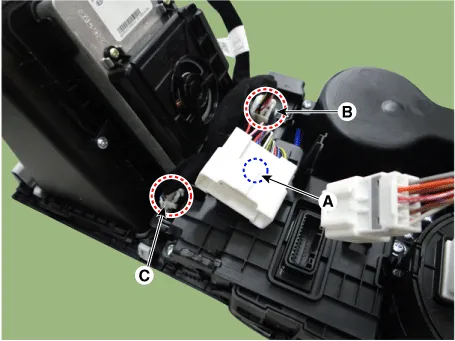
Disconnect the main connector fastener (A), consol switch connector (B) and wireless power charger indicator connector (C).
|
| 5. |
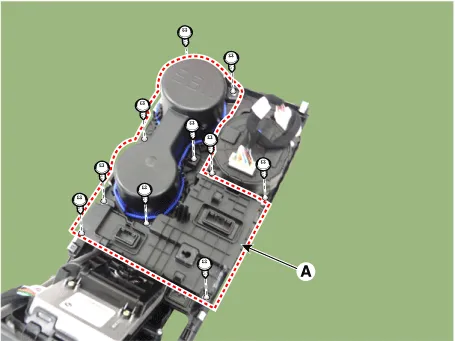
Remove the cup holder assembly (A) after loosening the mounting screws.
|
| 6. |
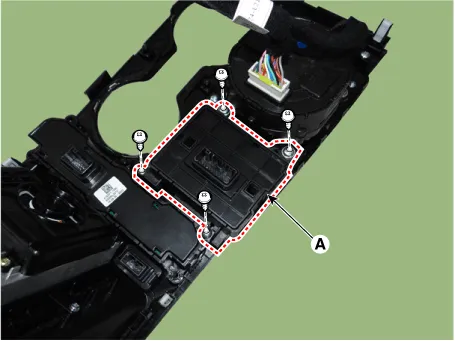
Remove the console switch (A) after loosening the mounting screws.
|
| Installation |
| 1. |
Install in the reverse order of removal. |
Schematic diagrams Circuit Diagram Repair procedures Removal Parking Distance Warning-Forward (PDW-F) Sensor 1.
Components and components location Component Location 1. Cluster (USM) 2. Parking collision-avoidance assist (PCA) Unit 3.
Other information:
Kia Optima DL3 2019-2026 Service and Repair Manual: Personal Lamp
Repair procedures Removal When removing with a flat-tip screwdriver or remover, wrap protective tape around the tools to prevent damage to components. 1.
Kia Optima DL3 2019-2026 Service and Repair Manual: Ventilated and Heated Seat
Schematic diagrams Connector and Terminal Function Pin Function Connector A Connector B 1 Driver heater ground (-) Driver blower speed (+) 2 Passenger heater ground (-) - 3
Categories
- Manuals Home
- Kia Optima Owners Manual
- Kia Optima Service Manual
- Cooling System
- Body Electrical System
- Brake System
- New on site
- Most important about car
