
Kia Optima DL3: Surround View Monitor (SVM) / Surround View Monitor (SVM) ECU
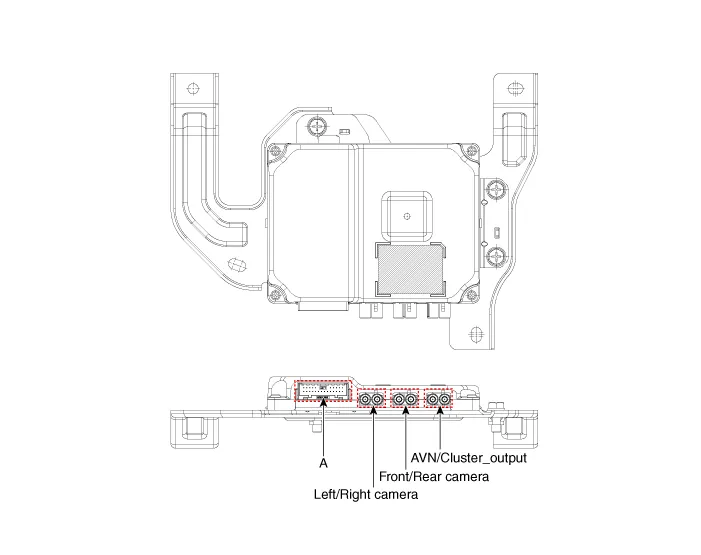
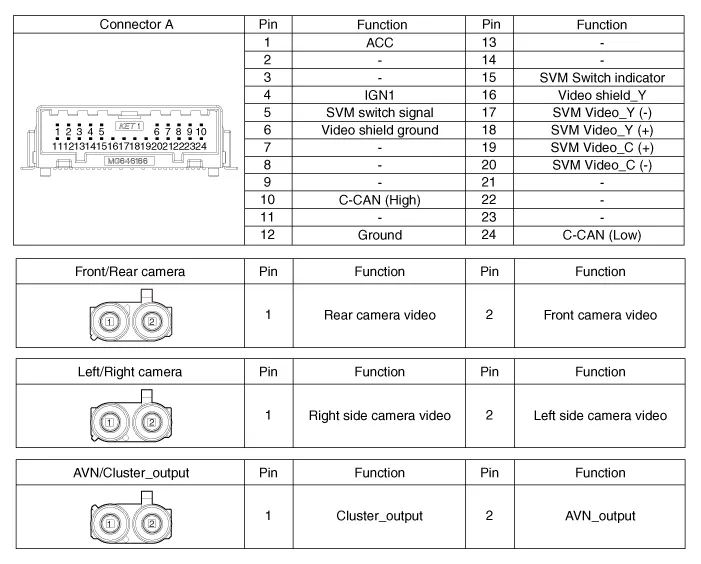
Schematic diagrams
| Connector and Terminal function |
Repair procedures
| Removal |
| 1. |
Disconnect the negative (-) battery terminal. |
| 2. |
Remove the crash pad center panel. (Refer to Body - "Crash Pad Center Panel") |
| 3. |
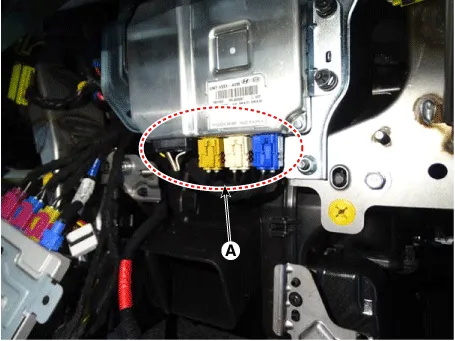
Disconnect the SVM ECU connectors (A).
|
| 4. |
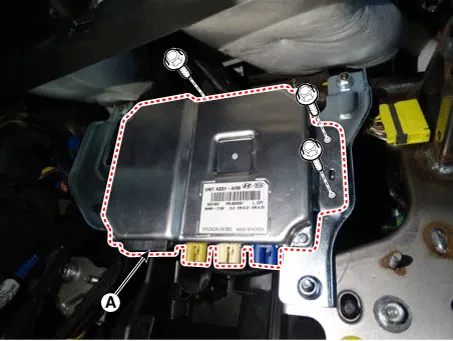
Remove the SVM ECU (A) after loosening the mounting bolts.
|
| Installation |
| 1. |
Install in the reverse order of removal. |
Components and components location Component Location Surround View Monitor (SVM) 1) SVM unit basically transmits data via C-CAN only.
Schematic diagrams Connector and Terminal function Front View Camera Side View Camera Rear View Camera Repair procedures Removal In case of bad quality or poor focus, be sure to check the camera lens surface condition and foreign materials.
Other information:
Kia Optima DL3 2019-2026 Service and Repair Manual: Heater Unit
Components and components location Component Location 1. Heater unit assembly Compoents 1. Mode control actuator 2. Temperature control actuator [LH] 3. PTC Heater dummy 4.
Kia Optima DL3 2019-2026 Service and Repair Manual: Evaporator Core
Repair procedures Replacement 1. Disconnect the negative (-) battery terminal. 2. Remove the heater and blower assembly. (Refer to Heater - "Heater Unit") 3. Loosen the mounting screws, lock pin and remove the evaporator core cover (A).
Categories
- Manuals Home
- Kia Optima Owners Manual
- Kia Optima Service Manual
- Timing Chain
- Engine Control Module (ECM)
- Engine Mechanical System
- New on site
- Most important about car
