
Kia Optima DL3: Surround View Monitor (SVM) / Surrount View Monitor (SVM) Switch
Schematic diagrams
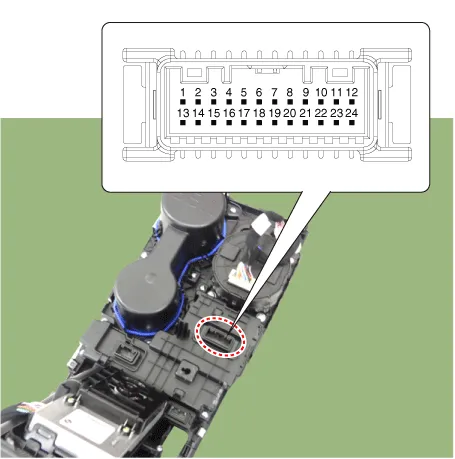
| Connector and Terminal Function |
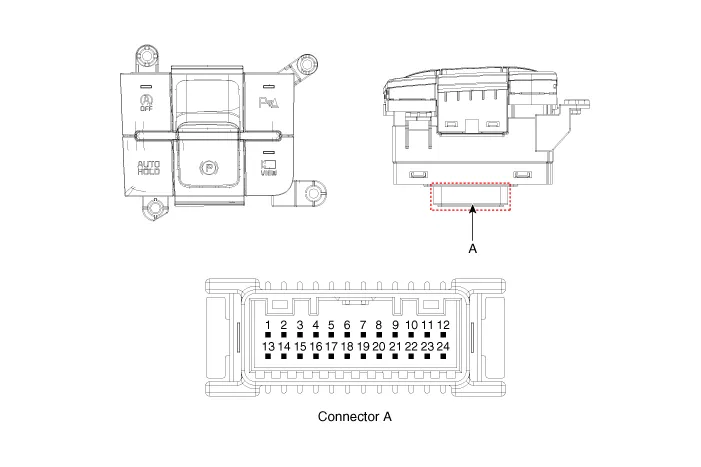
|
Pin |
Function |
Pin |
Function |
|
1 |
PAS mode switch |
13 |
SVM mode indicator |
|
2 |
PAS mode indicator |
14 |
SVM mode switch |
|
3 |
- |
15 |
- |
|
4 |
Detent |
16 |
Ground |
|
5 |
EPB switch1 |
17 |
EPB switch2 |
|
6 |
EPB switch3 |
18 |
EPB switch4 |
|
7 |
- |
19 |
- |
|
8 |
- |
20 |
IGN1 |
|
9 |
Battery (+) |
21 |
illumination (+) |
|
10 |
- |
22 |
- |
|
11 |
ISG mode indicator |
23 |
illumination (-) |
|
12 |
ISG mode switch |
24 |
Auto hold mode |
Repair procedures
| Removal |
|

| 1. |
Disconnect the negative battery terminal. |
| 2. |
Remove the console upper cover. (Refer to Body - "Floor Console Assembly") |
| 3. |
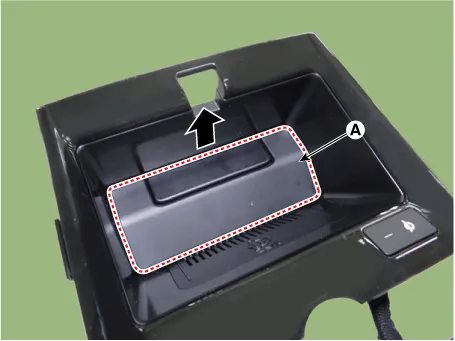
Remove the wireless power charger pad (A).
|
| 4. |
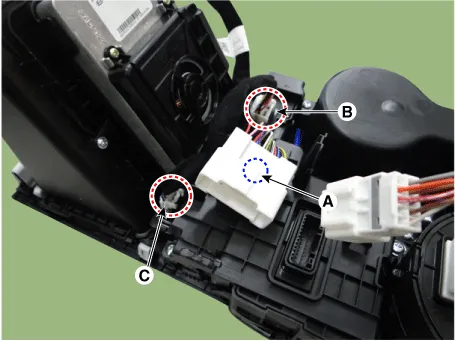
Disconnect the main connector fastener (A), consol switch connector (B) and wireless power charger indicator connector (C).
|
| 5. |
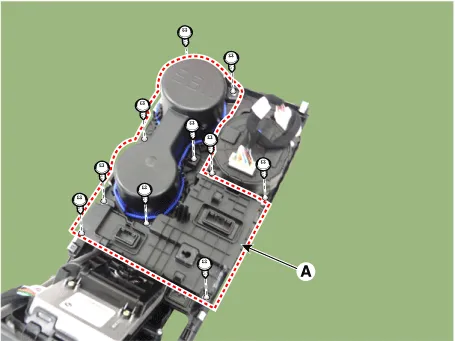
Remove the cup holder assembly (A) after loosening the mounting screws.
|
| 6. |
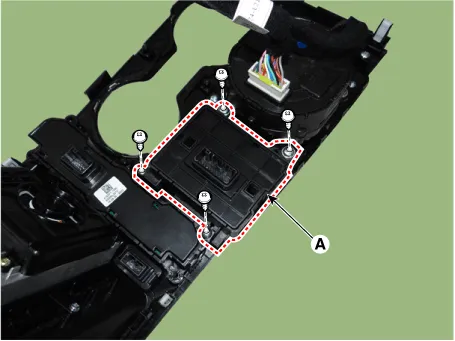
Remove the console switch (A) after loosening the mounting screws.
|
| Installation |
| 1. |
Install in the reverse order of removal. |
| Inspection |
| 1. |
Remove the side crash pad switch. |
| 2. |
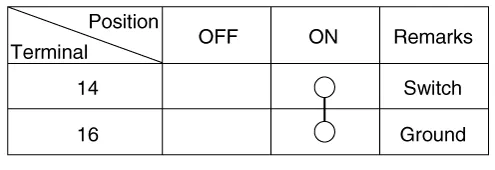
Operate the SVM switch, then check for continuity between terminals.
|
Schematic diagrams Connector and Terminal function Front View Camera Side View Camera Rear View Camera Repair procedures Removal In case of bad quality or poor focus, be sure to check the camera lens surface condition and foreign materials.
Specifications Specifications Item Specification Ultrasonic sensor Voltage rating DC 12 V Detecting range 30 - 120 cm (11.
Other information:
Kia Optima DL3 2019-2026 Service and Repair Manual: License Lamps
Repair procedures Removal 1. Disconnect the negative battery terminal. 2. Remove the lcense lamp (A) by pressing the hook. 3. Disconnect the lcense lamp connector (A).
Kia Optima DL3 2019-2026 Service and Repair Manual: Washer Switch
R
Categories
- Manuals Home
- Kia Optima Owners Manual
- Kia Optima Service Manual
- Brake System
- Air bag collision sensors
- Body Electrical System
- New on site
- Most important about car
