Kia Optima DL3: Crash Pad / Glove Box
Components and components location
| Component Location |
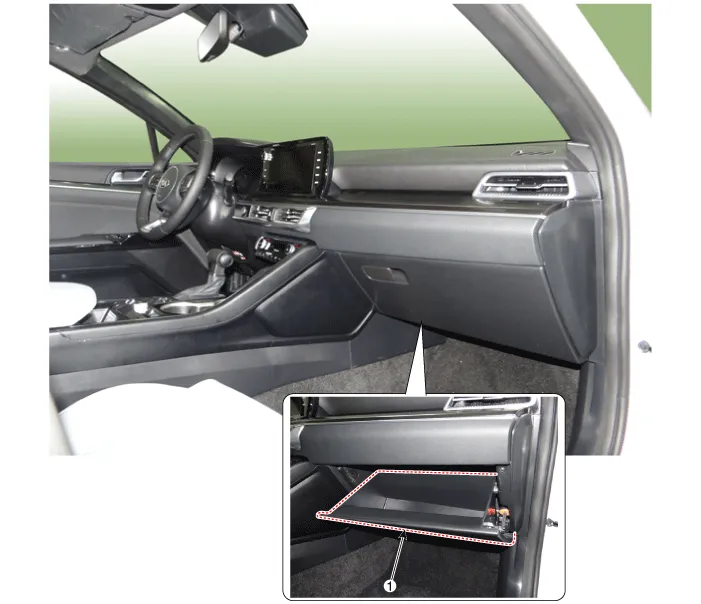
| 1. Glove box |
Repair procedures
| Replacement |
|

| 1. |
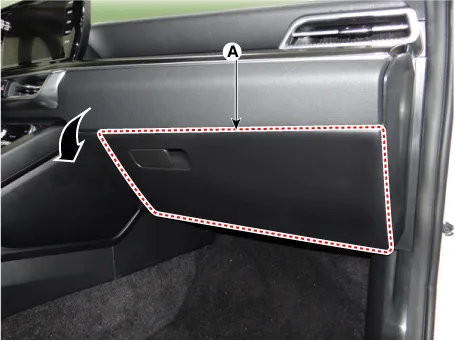
Open the glove box (A) in the direction of the arrow.
|
| 2. |
Separate the air damper (A) from the glove box.
|

| 3. |
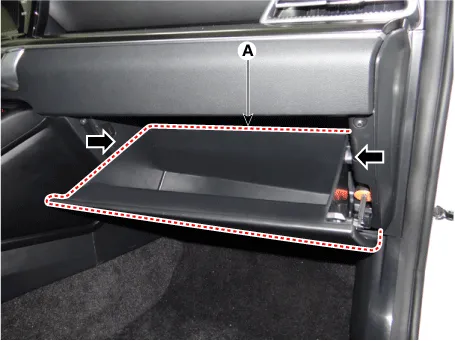
Press both sides inwards to open the glove box (A) downwards.
|
| 4. |
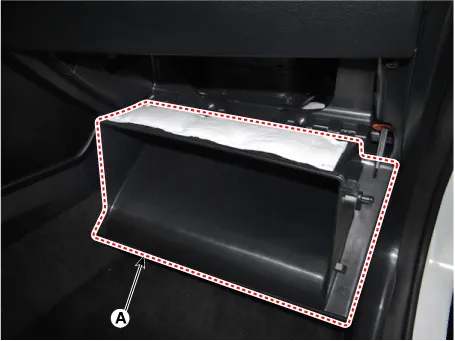
Remove the glove box (A).
|
| 5. |
To install, reverse removal procedure. |
Components and components location Component Location 1. Crash pad garnish [LH] 2. Crash pad garnish [RH] 3. Crash pad center garnish Repair procedures Replacement [Crash pad center garnish] • When removing with a flat-tip screwdriver or remover, wrap protective tape around the tools to prevent damage to components.
Repair procedures Replacement • When removing with a flat-tip screwdriver or remover, wrap protective tape around the tools to prevent damage to components.
Other information:
Kia Optima DL3 2019-2026 Service and Repair Manual: Personal Lamp
Repair procedures Removal When removing with a flat-tip screwdriver or remover, wrap protective tape around the tools to prevent damage to components. 1.
Kia Optima DL3 2019-2026 Service and Repair Manual: Smart Key Diagnostic
Repair procedures Inspection 1. In the body electrical system, failure can be quickly diagnosed by using the vehicle diagnostic system (KDS). The diagnostic system (KDS) provides the following information. (1) Self diagnosis : Checking failure and code number (DTC).
Categories
- Manuals Home
- Kia Optima Owners Manual
- Kia Optima Service Manual
- CVVT Oil Control Valve (OCV)
- Motor Driven Power Steering
- Air bag collision sensors
- New on site
- Most important about car
